
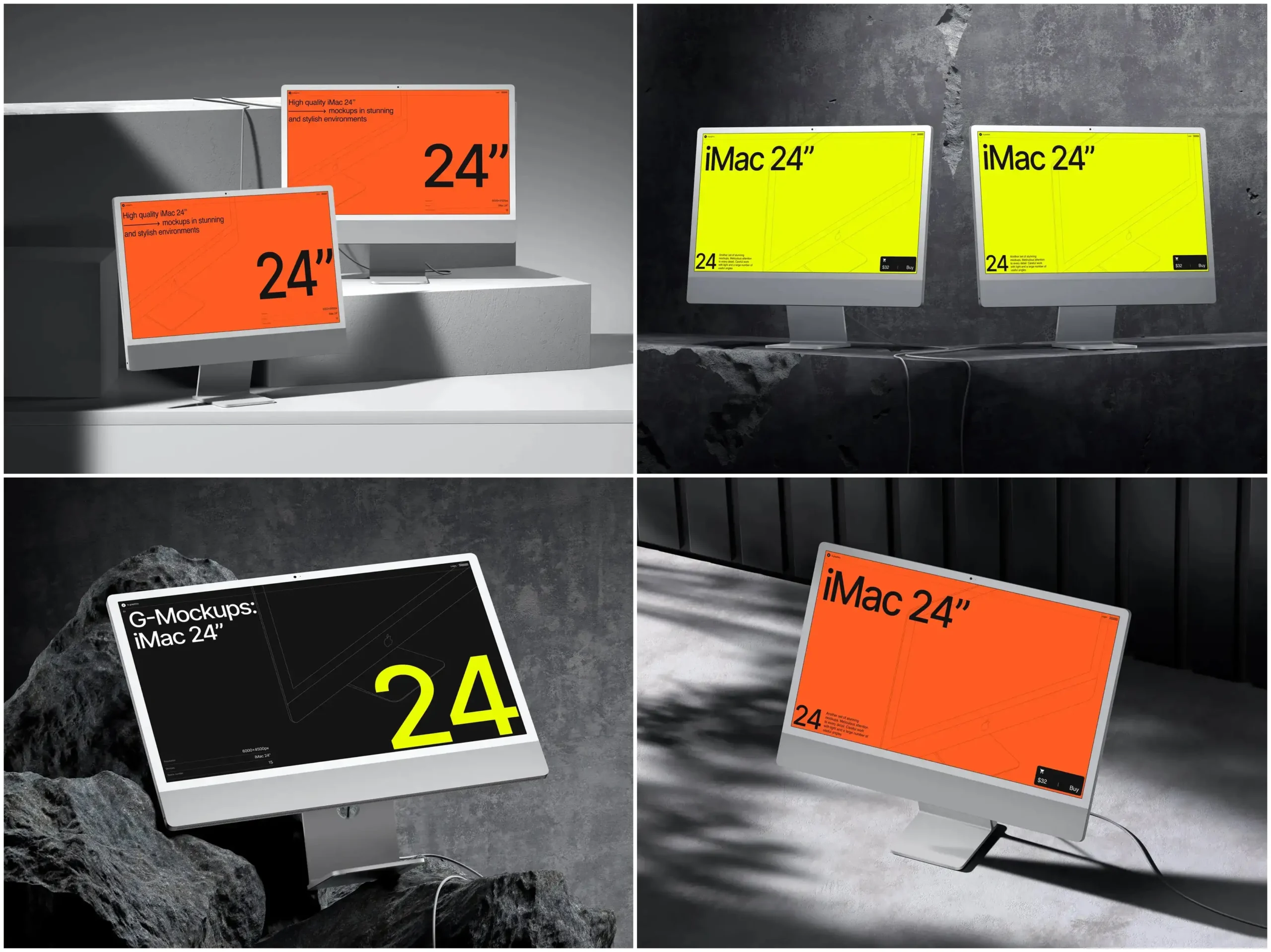
In the fast-paced world of digital design, presentation is everything. Designers are constantly searching for ways to showcase their UI/UX projects in a professional, realistic manner. One of the most effective tools for this is the iMac mockup. These mockups not only elevate the visual appeal of your designs but also allow clients and stakeholders to experience projects as if they were already live on a high-end device.
Why iMac Mockups Matter in UI/UX Design
An iMac mockup is more than just a decorative frame for your work. It provides context, scale, and realism to your designs. When you display an interface inside a beautifully rendered iMac, viewers immediately understand how it will appear in real-life use. This is crucial for Figma and Adobe XD projects, where interactive prototypes often need that extra touch of professionalism to impress clients and team members.
High-quality mockups make a project appear polished and credible. Websites like ls.graphics offer premium iMac mockups that are particularly appealing to designers. Their mockups are ultra-realistic, with attention to detail that makes reflections, shadows, and textures look lifelike. Organized layers make it easy to swap screens, change backgrounds, or adjust angles without wasting time. With a variety of colors, styles, and minimalistic compositions, designers can quickly match their mockup to any brand aesthetic.
Integrating iMac Mockups into Figma
Figma has become a go-to tool for UI/UX designers due to its collaborative features and intuitive interface. Integrating an iMac mockup into Figma is straightforward:
-
Begin by downloading a high-resolution iMac mockup. Ensure the file includes layered assets in formats like PNG or SVG for easy manipulation.
-
Import the mockup into Figma by dragging it onto your canvas. Lock the mockup layer to prevent accidental edits.
-
Use Figma’s frame and masking tools to place your UI design inside the iMac screen. Adjust the design to fit perfectly, maintaining proportions.
-
Apply overlays, shadows, or gradients to enhance realism. Figma’s interactive components can even allow users to click through screens while maintaining the mockup context.
A real-world example: a web agency used a minimalistic iMac mockup to present a client’s new dashboard interface. By placing the design within the mockup, stakeholders immediately understood the layout, colors, and interaction flow, accelerating project approval.
Integrating iMac Mockups into Adobe XD
Adobe XD is another powerhouse for designers, especially for interactive prototypes. Using iMac mockups in Adobe XD follows a slightly different workflow:
-
Open your downloaded iMac mockup, preferably in PSD or SVG format, in Adobe XD.
-
Drag your UI design artboard into the mockup area and use masking to fit it perfectly within the iMac screen.
-
Take advantage of XD’s auto-animate and component features to create dynamic presentations that feel interactive while still framed in the iMac mockup.
For instance, a freelance designer preparing a portfolio website incorporated several iMac mockups in different angles and color schemes from ls.graphics. The result was a highly professional, versatile presentation that could easily adapt for both desktop and social media previews.
Tips for Using iMac Mockups Effectively
-
Always choose mockups with organized layers to save editing time.
-
Use a combination of angled and straight-on perspectives to create a dynamic presentation.
-
Opt for mockups with minimalistic compositions to keep the focus on your design rather than the device.
-
Experiment with color variations to match client branding or project themes.
-
Consider using ultra-realistic renderings for high-end projects to impress clients and elevate the overall visual experience.
Real Examples of iMac Mockups in Use
Designers frequently rely on iMac mockups for:
-
Showcasing web designs in client presentations.
-
Creating marketing visuals for landing pages or social media.
-
Building case studies for portfolios with realistic device framing.
-
Conducting usability testing previews in a professional context.
Using ls.graphics, designers gain access to mockups that provide flexibility with multiple angles, color options, and ultra-realistic rendering. This makes them suitable for any project, whether it’s a corporate dashboard, a creative website, or a portfolio showcase.
Conclusion
Integrating iMac mockups into Figma and Adobe XD projects is a simple yet powerful way to elevate your design presentations. Premium mockups from platforms like ls.graphics offer ultra-realistic details, organized layers, and a variety of angles and color options that make every design shine. By using these mockups, designers can communicate ideas more effectively, impress clients, and streamline their workflow—all while presenting designs in the most professional, visually appealing way possible.